
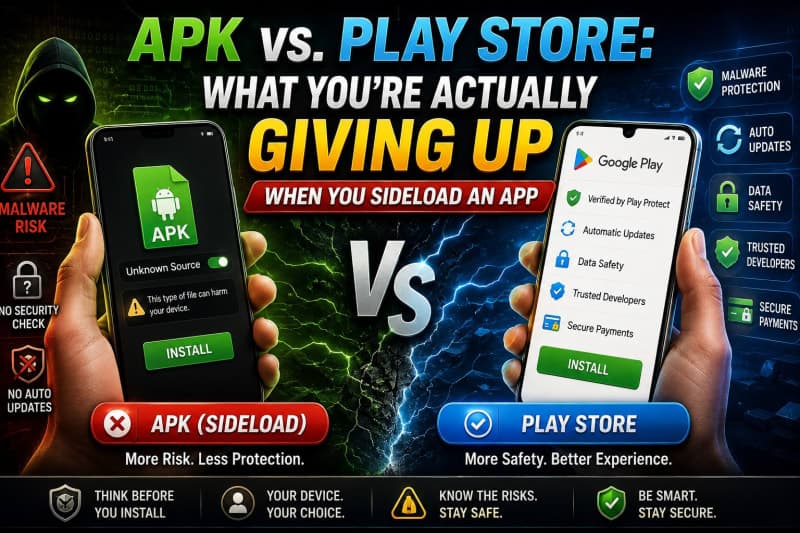
Sooner or later, many Android users encounter the same situation. A website offers an app as an APK file, but Android displays a warning before installation.
The app might be unavailable on Google Play. It could be an older version, an independent application, a modified game, or a real-money platform distributed only through its website.
At that point, the important question isn’t simply, “Can I install this APK?”
The better question is: what protections am I giving up by installing it outside Google Play?
Sideloading isn’t automatically illegal, malicious, or reckless. Android supports alternative app distribution by design. However, installing an APK directly transfers several responsibilities from Google, the app store, and the developer to you.
Before tapping Allow from this source, you should understand exactly what changes.
Quick Answer: APK vs. Play Store
When you install an app through Google Play, you benefit from managed updates, Play Store policies, pre-download security checks, standardized developer information, and an established installation process.
When you sideload an APK, Android’s core security features don’t disappear. App permissions, sandboxing, digital signatures, and Google Play Protect may still operate.
What changes is the level of trust attached to the file’s source.
You must personally verify:
- Who created the APK
- Whether the file has been modified
- Whether it is the latest version
- Whether it requests reasonable permissions
- Whether future security updates will reach you
- Whether the platform handling your data or money is trustworthy
That is the real trade-off in the APK vs Play Store decision.
What Does Sideloading an APK Mean?
Sideloading means installing an Android application from somewhere other than the official Google Play Store.
This usually involves downloading an APK file through a browser, file-sharing link, messaging app, developer website, or third-party APK platform.
APK stands for Android Package Kit. It is one of the file formats Android uses to install applications. Google Play also delivers Android apps, although it increasingly uses Android App Bundles to generate optimized APKs for individual devices.
On Android 8.0 and later, there is no single global “Unknown Sources” switch. Instead, Android asks you to grant a specific application—such as Chrome, Samsung Internet, or a file manager—permission to install unknown apps.
For example, you may allow Chrome to install one APK without giving every other application on your phone the same ability.
For detailed instructions, APKDownloader.pk has a complete guide explaining how to install APK files on Android safely.
What Google Play Provides Before You Install an App
Google Play is more than a download page. It provides several layers of app distribution, security, updates, and accountability.
These layers don’t guarantee that every Play Store app is safe. Malicious and misleading applications can occasionally pass through automated systems.
However, Google Play still gives users a stronger default safety framework than an unverified download link.
Security Checks Before Downloading
Google states that Google Play Protect runs a safety check on applications from the Play Store before users download them. Apps published through Google Play must also follow policies covering malware, spyware, impersonation, sensitive data, unwanted software, and device abuse.
A random APK shared through a social media comment, Telegram channel, WhatsApp group, or pop-up advertisement hasn’t necessarily passed those distribution checks.
That doesn’t prove the APK is malicious. It simply means the source must earn your trust instead of receiving it automatically.
Developer and Listing Information
A Google Play listing normally provides standardized information such as:
- Developer name
- Developer contact details
- App description
- Version information
- Update date
- User reviews
- Data-safety information
- Content rating
- Permissions and device compatibility
- Installation and update history
Third-party APK pages vary considerably. Some provide detailed technical information, while others show little more than a logo, exaggerated promises, and a download button.
When using an independent platform, look for a clear explanation of how it verifies files. For example, APKDownloader.pk describes its source checks, installation testing, risk disclosures, and review standards on its How We Review page.
Transparency doesn’t eliminate risk, but it gives you more information with which to judge the source.
Managed Automatic Updates
Google Play can automatically update installed applications when a new version becomes available. This helps developers deliver security patches, bug fixes, compatibility improvements, and new features without requiring users to download another installation file manually.
A sideloaded application usually won’t receive updates through Google Play.
Some independently distributed apps have their own update systems. Others notify users and direct them to the developer’s website. Many require you to find, verify, download, and install every new APK manually.
This difference matters because an outdated app may continue exposing a security weakness that the developer has already fixed.
App-Signing Continuity
Android requires APK files to be digitally signed before installation. The signing certificate also helps Android determine whether a new APK is a legitimate update for an application already installed on the device.
However, a digital signature doesn’t automatically mean an APK is safe.
A malicious developer can sign a malicious application with its own certificate. The more useful check is whether the APK’s package name and signing certificate match the genuine application distributed by the original developer.
Modified APKs commonly use a different certificate because changing the app’s code invalidates the original signature.
Policy Enforcement and Removal
Google can remove applications that violate Play policies, and Play Protect may warn users about potentially harmful applications.
This system isn’t flawless, but it creates a central point of accountability. A developer risks losing access to its listing, users, reviews, and distribution channel.
An anonymous APK website, temporary domain, or messaging account can disappear overnight and return under a different name.
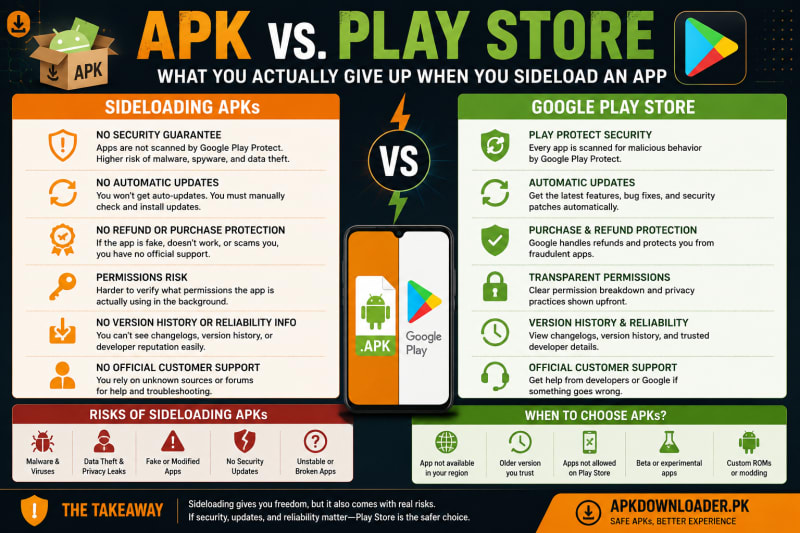
APK vs. Play Store Comparison
| Area | Google Play Installation | Sideloaded APK |
|---|---|---|
| File source | Delivered through Google Play | Downloaded from a website, message, browser, or file manager |
| Pre-download checks | Play Protect checks Play Store apps before download | Source must be evaluated by the user |
| Play Protect after installation | Available | Still available on supported devices |
| Automatic updates | Managed through Google Play | Usually manual or developer-managed |
| Developer information | Standardized store listing | Depends on the download website |
| App reviews | Public user reviews and ratings | May be missing, promotional, or difficult to verify |
| Digital signature | Managed through the Play distribution process | Must be checked against the official developer |
| Refunds and purchases | May be handled under Google Play’s systems and policies | Depend entirely on the outside platform |
| Compatibility | Store checks device and Android compatibility | User must check requirements |
| Removal of unsafe listings | Google can remove or restrict the app | Depends on the third-party publisher |
| Installation permission | Installed directly through Play | Requires permission for the browser or file manager |
| Responsibility for verification | Shared with Google and the developer | Falls mainly on the user |
What You Don’t Automatically Lose by Sideloading
It is easy to exaggerate the difference between APK and Play Store installations.
Sideloading doesn’t switch off every Android security feature.
Google Play Protect Can Still Scan Sideloaded Apps
Installing an APK outside Google Play doesn’t necessarily bypass Play Protect completely.
Google says Play Protect checks devices for potentially harmful applications from other sources. It can warn users, disable harmful applications, or remove known threats in some circumstances.
What you bypass is the Play Store’s normal listing and distribution process—not necessarily every post-installation security check.
You should therefore keep Play Protect enabled. A website telling you to disable it without a convincing technical explanation is a major warning sign.
Android Permissions Still Apply
Sideloaded applications still operate under Android’s permission system.
An app must request access to restricted data or device features such as the camera, microphone, location, contacts, and nearby devices. Android’s permission categories determine which restricted information or actions an app can access after approval.
The problem is that users often approve requests too quickly.
A permission prompt protects you only when you stop and ask whether the requested access makes sense.
App Sandboxing Still Exists
Android normally isolates applications from one another. Installing an APK doesn’t automatically give it unrestricted access to every other app and file on your phone.
However, broad permissions, accessibility access, notification access, screen-overlay privileges, device-administrator controls, and security vulnerabilities can significantly increase what a malicious application is capable of doing.
What You Really Give Up When You Sideload
The biggest losses aren’t always obvious during installation.
1. A Trusted Distribution Chain
With Google Play, the app moves from the developer through Google’s publishing and delivery systems to your device.
With sideloading, the chain may look like this:
Developer → affiliate → APK website → file host → redirect → your phone
Every additional party creates another opportunity for replacement, repackaging, outdated files, misleading buttons, or compromised downloads.
The safest alternative source is usually the developer’s confirmed official website. A well-maintained third-party platform should explain where its download link leads and how it confirms the source.
2. Reliable Updates
Sideloaded applications can remain installed for months without receiving security updates.
Even when a website lists a newer version, you must notice the update, return to the correct page, verify the new file, and install it.
That creates several risks:
- You may continue using an insecure version
- You may download an update from the wrong website
- A fake update may use a different signature
- The new file may be incompatible with your device
- You may lose app data while changing versions
3. Easier Developer Verification
Fake applications frequently imitate trusted brands by copying names, logos, screenshots, and interface designs.
A file named WhatsApp_Update.apk isn’t necessarily connected to WhatsApp. Likewise, a familiar game logo doesn’t prove that the file came from the actual operator.
Google Play prohibits applications that impersonate or misrepresent another developer, brand, or service. Outside the Play Store, enforcement depends on the website, hosting company, domain registrar, or platform where the file was shared.
4. Consistent Compatibility Checks
Google Play can restrict installation when an app doesn’t support your device, Android version, region, or hardware.
A direct APK download may let you install the wrong version.
Possible results include:
- Installation parsing errors
- Immediate crashes
- Broken notifications
- Missing features
- Excessive battery consumption
- Login failures
- Display problems
- Incompatible processor architecture
- Lost data after an update
A failed installation isn’t necessarily a sign of malware. It may simply mean the APK was built for a different Android version or device type.
5. Centralized Reviews and Complaints
Play Store reviews aren’t perfect. They can be manipulated, outdated, or based on issues unrelated to security.
Still, they provide a public record that can reveal recurring complaints involving:
- Unexpected subscriptions
- Intrusive advertisements
- Login problems
- Data loss
- Battery drain
- New permissions
- Payment disputes
- Poor customer support
- Broken updates
An APK promoted through an affiliate page may have no independent review history at all.
6. Store-Level Payment and Support Systems
Google Play may manage purchases, subscriptions, receipts, cancellations, and refund processes for transactions made through its billing system.
A sideloaded application handles payments under its own rules.
That can be especially important when an app asks for:
- Debit or credit card details
- Bank account information
- Mobile-wallet payments
- Identity documents
- Phone-number verification
- One-time passwords
- Deposits before account access
- Direct transfers to an agent
Once money leaves Google Play’s system, resolving a dispute depends on the app operator, payment provider, bank, or local consumer-protection process.
Is Sideloading Always Dangerous?
No.
The way an application is distributed doesn’t determine its behavior by itself. A properly signed APK downloaded directly from a reputable developer can be safer than a misleading application that somehow reaches an official store.
Legitimate reasons for sideloading include:
- Installing an enterprise application
- Testing a developer’s beta build
- Using an open-source application
- Installing software unavailable in a particular region
- Restoring an older compatible version
- Using an app distributed directly by an established developer
- Installing software on a device without Google Play
The difference is evidence.
A sensible sideloading decision should be based on a confirmed developer, a verifiable file, clear documentation, reasonable permissions, and a reliable update process.
It shouldn’t be based only on a logo, bonus banner, or claim that an application is “100% safe.”
How to Reduce the Risks of Sideloading
You can’t make an unknown APK completely risk-free, but you can reduce your exposure significantly.
1. Confirm the Real Developer
Start with the developer’s known website, social profiles, documentation, or existing Play Store listing.
Check for misspelled domains, copied branding, recently created websites, and strange subdomains.
2. Verify the Exact APK Version
Before downloading, confirm:
- App name
- Version number
- Package name
- APK size
- Android requirement
- Update date
- Developer name
- Download domain
If several websites offer different “latest” versions, don’t guess.
3. Scan the APK Before Installation
Upload the file to VirusTotal before opening it. VirusTotal analyzes files using numerous antivirus products, security tools, and dynamic-analysis systems.
One detection can occasionally be a false positive. Multiple warnings from recognized security vendors are a strong reason to delete the file.
Remember that a clean scan reduces uncertainty; it doesn’t prove that a file is harmless.
4. Compare the File Hash
When the developer publishes an SHA-256 hash, compare it with the hash of your downloaded file.
A matching hash confirms that your file is identical to the one represented by the published value. A mismatch means you have a different file, even when its name and icon look correct.
5. Check the Digital Signature
Compare the APK’s certificate with a confirmed official version.
Be particularly cautious when an “update” cannot install over the existing application and asks you to uninstall the original first. That may indicate a different signing certificate or package identity.
6. Review Every Sensitive Permission
Ask what the app genuinely needs to perform its main function.
A basic game may need internet access and notifications. It shouldn’t automatically need your contacts, call logs, SMS messages, microphone, accessibility controls, or device-administrator privileges.
Android’s own security guidance recommends minimizing access to user data and requesting only necessary permissions.
7. Keep Play Protect Enabled
Don’t disable Google Play Protect simply to force an installation.
Investigate the warning instead. Confirm the developer, scan the APK, compare the version, and reconsider whether you genuinely need the application.
8. Remove Installation Permission Afterwards
Once installation is complete, return to your settings and disable Allow from this source for the browser or file manager.
This prevents the same application from installing additional APKs without you deliberately granting access again.
9. Avoid Cracked and Modified APKs
A modified APK has been changed after the original developer released it.
The modification may remove advertisements or unlock features, but it can also add:
- Spyware
- Hidden advertising modules
- Account-stealing code
- Background downloads
- Cryptocurrency miners
- Aggressive tracking
- Fraudulent payment screens
Because the code has changed, the original developer’s signature normally won’t match.
10. Use a Separate Test Environment
For higher-risk applications, use a spare phone or isolated Android emulator rather than your primary device.
Don’t test an unknown APK on a phone containing banking applications, saved passwords, identity documents, private photographs, or business accounts.
Security professionals and developers can use the OWASP Mobile Application Security resources for deeper testing standards covering storage, authentication, network communication, platform interaction, and tamper resistance.
Why Real-Money and Earning APKs Need Extra Scrutiny
The risk becomes more serious when a sideloaded application also asks you to deposit or withdraw money.
Many real-money, casino-style, reward, and earning applications aren’t distributed through Google Play. Users instead download APK files from websites and then connect accounts through JazzCash, Easypaisa, bank transfers, or agent-managed payment systems.
That creates two separate questions:
- Is the APK technically safe to install?
- Is the platform financially trustworthy?
A clean malware scan doesn’t prove that withdrawals will work. Likewise, a successful withdrawal doesn’t prove that the application handles your personal data securely.
APKDownloader.pk’s complete Android game directory includes version and installation information for apps distributed outside Google Play. Readers should still independently verify every file, payment rule, and platform claim before installing or depositing money.
Examples of APK-Only Real-Money Platforms
Platforms such as Hot77, CT999, Jeeto786, 3R3R, and numerous “999”-branded applications are commonly promoted through direct APK installations.
Before considering one, review the available evidence rather than relying on bonus promises:
- The Hot77 risk and feature overview explains its APK-only distribution, limited independent coverage, and real-money risks.
- The CT999 app review discusses installation, permissions, withdrawal concerns, and the difference between entertainment and guaranteed income.
- The Jeeto786 safety overview identifies the questions users should ask before installing its APK or depositing money.
- The 3R3R review and safety guide examines its third-party distribution, payment claims, permissions, and limited independent verification.
- The comparison of 999 casino and earning APKs helps distinguish similarly named applications instead of assuming they come from one developer.
For applications using local mobile wallets, also review how deposits and withdrawals are processed. APKDownloader.pk’s JazzCash vs Easypaisa payment comparison covers transaction limits, verification, payment records, and platform-dependent withdrawal risks.
Never share your mobile-wallet PIN, banking password, email password, or one-time verification code with an app agent or support representative.
Real-money gaming can lead to financial loss and may be restricted depending on your location. It should never be treated as guaranteed income.
Warning Signs That Should Stop an APK Installation
Delete the APK or leave the website when:
- The page tells you to disable Play Protect
- The download begins without your permission
- Several fake download buttons surround the real link
- The developer’s name is missing
- The version number cannot be confirmed
- The file comes from a shortened or redirected URL
- The app requests accessibility or administrator access without a clear reason
- A simple game wants your contacts, SMS messages, or call logs
- The website guarantees earnings or withdrawals
- Support asks for your password, wallet PIN, or OTP
- You must uninstall the legitimate application before installing an “update”
- Antivirus tools report several serious detections
- The operator provides no privacy, contact, or dispute information
One unusual detail may have an innocent explanation. Several warning signs together should end the process.
Frequently Asked Questions
Is an APK Less Safe Than a Play Store App?
Not automatically. APK is simply an Android installation format.
The increased risk comes from downloading the file outside a managed store, where you must personally verify its source, signature, version, permissions, and update process.
Does Sideloading Turn Off Google Play Protect?
No. Google Play Protect can check potentially harmful applications installed from other sources.
However, sideloading bypasses the normal Google Play listing and delivery process, so you should still perform your own checks.
Will a Sideloaded App Update Automatically?
Usually not through Google Play.
Some applications include their own updater or send users to the developer’s website. Others require manual downloads whenever a new version is released.
Does a Signed APK Mean It Is Safe?
No. Android requires APKs to be signed, but anyone creating an APK can sign it with their own certificate.
You need to confirm that the certificate matches the genuine developer’s application.
Why Does Android Block APK Installation?
Android blocks unknown-app installation by default to prevent accidental or unauthorized installations.
On Android 8.0 and later, you must grant installation permission to the specific browser, file manager, or application opening the APK.
Can a Sideloaded APK Access My Banking Apps?
Apps are normally isolated, but malicious applications may abuse permissions, accessibility services, screen overlays, notification access, or security vulnerabilities.
Avoid installing unknown APKs on devices used for banking or business accounts.
Are Modified APKs Safe?
They carry greater risk because their original code and signature have been changed.
You cannot assume that the only modification is the advertised unlocked feature.
Is a VirusTotal Scan Enough?
No. VirusTotal is one useful check, not a safety guarantee.
Combine it with developer verification, signature checking, permission review, version comparison, and careful source evaluation.
Final Thoughts
The APK vs Play Store decision isn’t simply a choice between freedom and security.
Sideloading gives Android users more control. It can provide access to independent software, beta releases, regional apps, enterprise tools, and applications unavailable through Google Play.
However, that freedom comes with work.
You become responsible for verifying the developer, checking the APK, managing updates, reviewing permissions, evaluating payment risks, and deciding whether the source deserves access to your device.
Google Play isn’t a perfect guarantee of safety. Sideloading isn’t an automatic guarantee of danger.
The real difference is who performs the checks.
Before installing an APK, ask one simple question:
Do I have enough trustworthy evidence to replace the protections and accountability I would normally receive through Google Play?
When the answer is unclear—especially when the app requests sensitive information or real-money deposits—the safest choice is not to install it.
Games Mentioned in This Article


Related Articles


Ready to download the APK?
Download the latest verified APK, register with OTP, and claim your welcome bonus. 18+ only — play responsibly.
Download Latest APK